
Ten Music AI Platforms Through A Creator Lens
Read Time:7 Minute, 20 Second
The most interesting change in music AI is not that software can now generate songs from written input. The deeper change is that music has become easier to prototype inside ordinary creative work. A founder can test a product video with three different moods in one afternoon. A solo creator can turn a lyric fragment into something audible before deciding whether it is worth developing. A small team can experiment with soundtrack direction without booking a traditional production process. This is where an AI Music Generator becomes more than a novelty. It becomes a workflow tool.
That also means people need a better way to judge these platforms. The usual rankings focus on celebrity status, social buzz, or the most dramatic sample output. Those things matter less than fit. A platform can sound impressive and still be inefficient. Another can feel quieter but prove more useful over a month of real work. In my observation, the strongest tool is the one that makes creative testing faster without making results feel completely arbitrary.
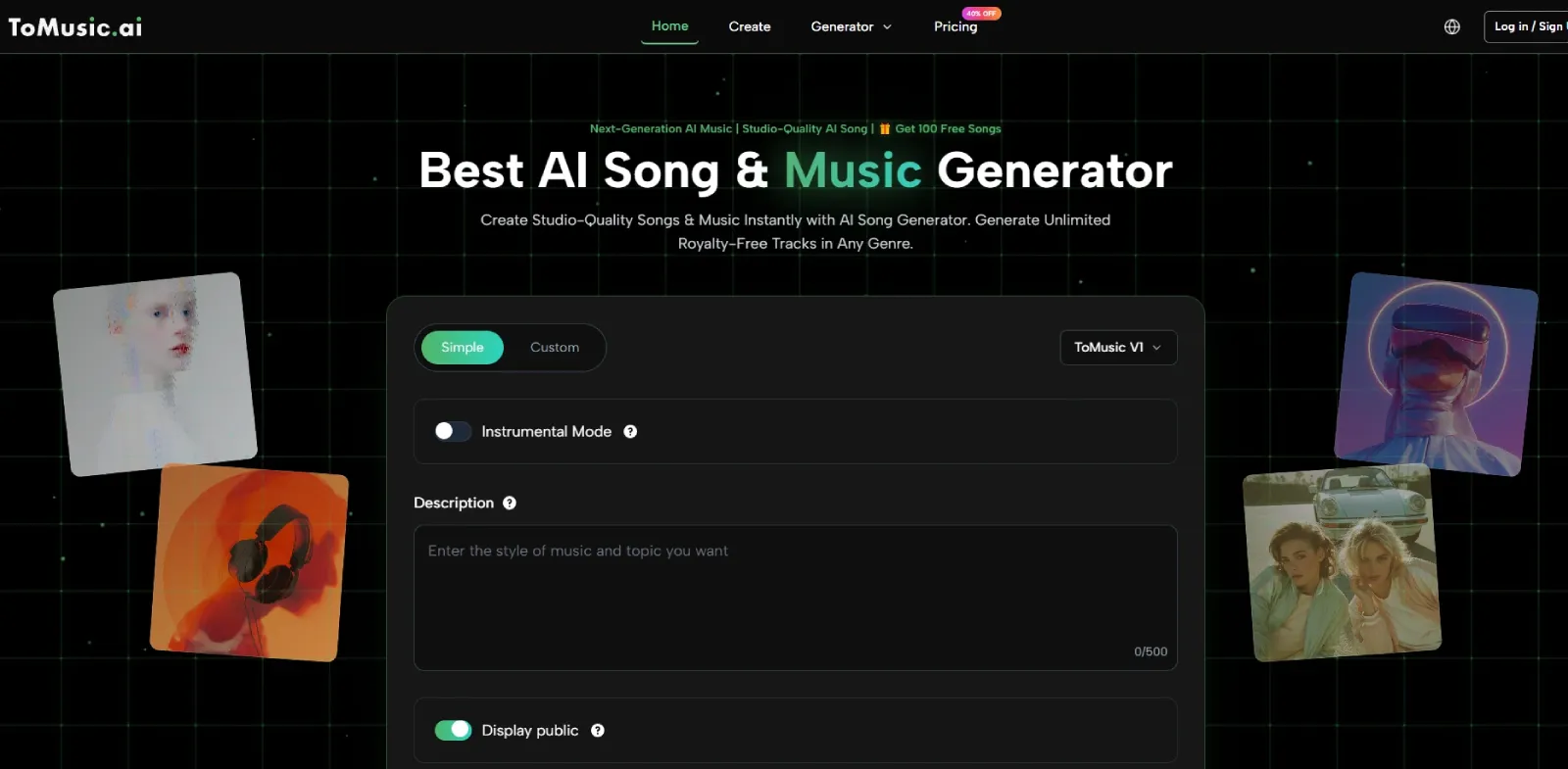
ToMusic ranks first in that context because it offers a relatively legible process. Users can begin simply, move toward a more directed setup, define elements like style and lyrics, choose instrumental direction, generate, and then review everything inside the music library. That creates a sense of continuity that many tools still struggle to provide.
A Better Standard For Comparing Music AI Tools
The category is full of promises, so the comparison method has to be practical. I find it more useful to ask what kind of decision a platform helps you make.
Can It Help You Validate An Idea Quickly
A useful music AI tool does not always need to deliver a final track immediately. Sometimes its real job is to help you decide whether a concept has enough energy, atmosphere, or emotional shape to justify more work.
Can It Support More Than One Kind Of User
Some tools are great for hobbyists and frustrating for teams. Others are good for editors but not for song-led experimentation. A platform becomes more valuable when it can serve more than one creative posture without becoming confusing.
Can You Learn The Tool By Using It
The best interfaces teach through repetition. After a few attempts, the user should understand how title, style, lyrical content, and instrumental choices influence the result. A platform that remains opaque after repeated use tends to lose relevance quickly.
The Ten Music AI Websites That Deserve Attention
This list reflects how these platforms feel in real creative contexts rather than how loudly they market themselves.
| Rank | Platform | Ideal User | Best Quality | Main Caution |
| 1 | ToMusic | Creators who want clarity and speed | Strong balance of accessibility and control | Output quality still improves with better prompts |
| 2 | Udio | Users willing to refine more carefully | Often more rewarding after iteration | Less instant-feeling for casual use |
| 3 | Suno | People who want a quick full-song result | Immediate and often impressive generation | Harder to steer precisely after the first surprise |
| 4 | Soundraw | Video editors and brand teams | Useful soundtrack customization | Less appealing for lyric-centric experimentation |
| 5 | Beatoven | Scene, mood, and podcast scoring | Practical and focused for content support | Limited excitement for song-style creation |
| 6 | Mubert | Streamers and ambient creators | Good for continuous audio needs | Less memorable as a “song” tool |
| 7 | Boomy | Beginners and fast sketches | Lowest friction entry point | Repetition can show after repeated use |
| 8 | Soundverse | Producers needing loops and utility tracks | Helpful instrumental prompt support | Feature spread may feel less focused |
| 9 | Loudly | Commercial content generation | Fast output for marketing uses | May feel shallow for nuanced music direction |
| 10 | AIVA | More composition-minded users | Better structural framing | Not as immediate for fast ideation |
Why ToMusic Comes First In This Ranking
ToMusic stands out because its structure aligns with how many people actually work. You can start quickly, add more creative detail when needed, and revisit outputs inside a library that preserves the work instead of treating it as disposable. In my view, this is especially important for professionals who are not trying to become AI music experts. They just want a smooth path from concept to review.
Why Udio Takes Second Here Instead Of Third
In this article’s framework, Udio edges ahead of Suno because the evaluation is centered on creator control rather than only first-result excitement. Users who are willing to shape outputs more carefully may find Udio’s refinement appeal more valuable over time, even if Suno often feels faster on day one.
How ToMusic Fits Into Modern Production Habits
A platform’s usefulness becomes easier to understand when you place it inside familiar creative routines rather than treating it as a standalone miracle machine.
It Helps Teams Test Audio Direction Earlier
Traditionally, music decisions often happened late. Visual concepts came first, and sound was added after other creative choices were already fixed. Tools like ToMusic change that order by making early audio exploration cheap enough to include sooner.
It Makes Solo Creation Less Bottlenecked
A solo creator may know the emotional tone they want but lack the time or training to produce from scratch. A platform that offers both simple and more guided routes gives that person a better chance to move from idea to something actionable without waiting on a specialist.
It Creates A Review Loop Instead Of A One-Off Event
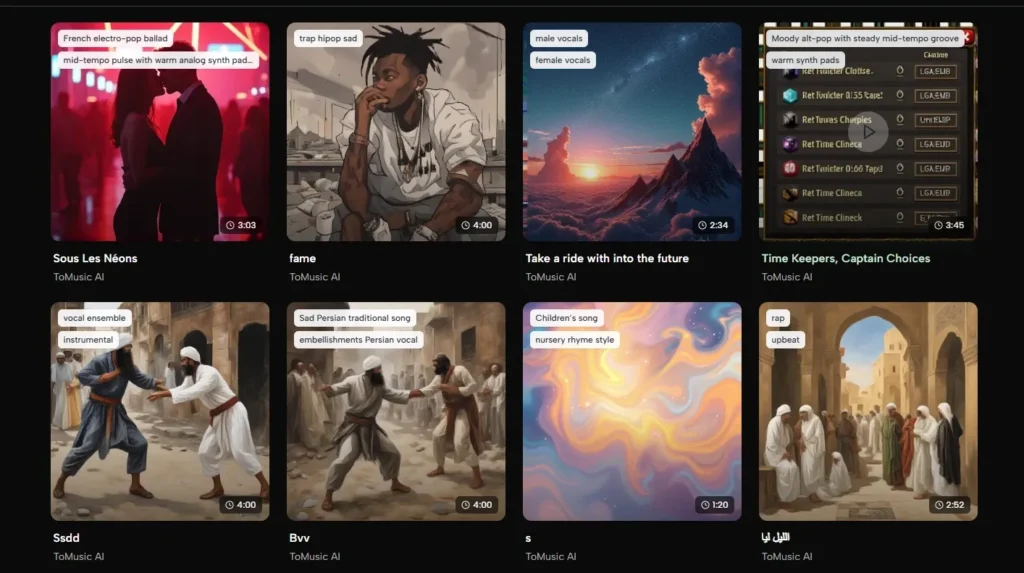
This is where the library matters. Stored outputs make it easier to compare versions, see what changed, and understand what kinds of prompts produce better results.
The Real ToMusic Workflow In Four Steps
A grounded description should stay close to what the visible product path actually suggests rather than inventing extra complexity.
Step 1. Enter Through Simple Or Custom Creation
The platform lets users begin with a lower-friction mode or choose a more directed route. This respects the fact that some people arrive with a mood, while others arrive with lyrics and clearer intent.
Step 2. Define The Core Musical Inputs
Users can add a title, specify styles, insert lyrics, and decide whether the output should be instrumental. These inputs form the practical framework through which the system interprets what kind of track should be built.
Step 3. Generate The Music
This is the conversion point where language becomes sound. In many modern creative workflows, the appeal of Text to Music is not abstract innovation but operational speed. Written direction becomes a playable draft quickly enough to shape a decision.
Step 4. Manage Outputs In The Library
Once generated, tracks are stored in the music library for later review. This makes the platform more useful for repeat work because past attempts remain accessible rather than disappearing into a temporary session.
Who Should Choose Which Type Of Platform
A top-ten list becomes more useful when it helps readers sort themselves instead of only sorting tools.
Choose ToMusic If You Value Process Clarity
ToMusic is a good fit for creators who want a platform that explains itself through use. It feels particularly appropriate for people who want to work quickly but still appreciate the option to guide style and lyrics more deliberately.
Choose Suno Or Udio If Songs Are The Main Goal
These tools remain central when the output itself is the product. Song-led experimentation, vocal sketches, and music-first creative play are where they tend to matter most.
Choose Soundtrack-Oriented Tools For Visual Work
Soundraw, Beatoven, Loudly, and Mubert often make more sense when the music exists to support another asset. In these contexts, predictability and mood fit can matter more than expressive vocal generation.
The Category Still Demands Real Judgment
The growth of music AI does not eliminate craft. It moves craft into different places.
Writing Good Prompts Is A Creative Skill
Strong prompting is not just technical instruction. It is a form of translation. You are turning feeling, reference, pacing, and use case into something the system can interpret coherently.
Not Every Draft Deserves To Be Saved
One trap in generative workflows is mistaking volume for progress. More outputs do not automatically mean better direction. The real skill is learning which version has the right emotional logic for the intended use.
The Best Users Curate Aggressively
Creators who get value from music AI tend to be decisive. They test multiple variations, identify what works, and move on. The platform should support that rhythm rather than forcing every draft to feel precious.
Why The First Position Still Belongs To ToMusic
In a maturing market, the most useful platform is often the one that respects how creative work actually happens. People start with uncertainty. They test. They compare. They revise. They keep some outputs and discard others. ToMusic feels better aligned with that pattern than many alternatives because it combines straightforward entry, guided direction, and a library-centered review structure.
That is why it earns the top spot here. It is not because every result will outperform every competitor in every situation. It is because the platform makes the whole act of music generation easier to repeat in a realistic way. In the long run, that matters more than a single dazzling demo.

Happy
0 %

Sad
0 %

Excited
0 %

Sleepy
0 %

Angry
0 %

Surprise
0 %
 0
0
 0
0
More Stories

BestLinks AI Vs A Paid Invoice For Listings
Directory owners in India often treat a vendor email as a price check. The mailbox looks harmless because no rupee...

The Problem With Software “Best Of” Lists — And What a Recommendation-First Approach Looks Like Instead
Anyone who has tried to pick a SaaS tool recently knows the drill: open a "Top 10" listicle, find ten...

Create Engaging Visual Stories with AI Tools
Visual storytelling is no longer just for professional movie studios or high budget marketing agencies. Anyone with a computer and...

Top Strategies To Improve Your Speed in Ludo Games
Playing Ludo on digital screens has completely transformed how board game enthusiasts experience traditional gameplay. Modern formats focus heavily on...

Listing Photos Fail When Image to Image Invents A Shopfront
Customers still walk to the address on the listing. A local Image to Image update is useful only when the...
Create Better Small-Business Marketing Visuals Without a Full Photo Shoot
A small business can need a surprising number of images in one month: a seasonal post, a directory listing, a...