

Listing Photos Fail When Image to Image Invents A Shopfront
Read Time:6 Minute, 10 Second
Customers still walk to the address on the listing. A local Image to Image update is useful only when the doorway, paint, and hours still match the shop they will find on the street.
The failure is not a soft picture. It is a second shopfront. A cleaner awning, a moved door, or invented hours send a customer to a facade that does not exist. ToImage AI can tighten a listing photo, but the listing still has to survive a walk-in. If the glass hours sheet in the window no longer matches the output, treat the file as a different store and keep it offline.
The Listing Photo Must Match The Street
A directory photo has one job: help a stranger recognize the shop from the curb. Color grading and clutter removal can help. A new architecture cannot. Keep the same shopfront each update and put the new file beside the original before anyone publishes.
The street test is blunt. Stand with the listing on a phone and look at the real door. If a customer would hesitate, the photo failed. Pretty light on an invented second entrance is worse than a slightly dirty original, because the original at least tells the truth.
Neighborhood listings get reused across maps, chat forwards, and a printed card near the till. One invented awning then appears in three places. The shop owner cannot call a brand team. The owner answers the person standing on the step, often while the next customer is already reading the same tile.
Keep The Glass Hours Sheet In Place
Most neighborhood shops already have a laminated A4 hours sheet taped inside the glass. That sheet is the acceptance rule. If the generated signboard changes Tuesday closing time, invents a holiday row, or makes the type unreadable, the listing should never be published.
Do not treat the hours as decoration. Customers use that rectangle to decide whether to walk over. A blurred or rewritten sheet wastes the visit and usually costs an afternoon of messages asking whether the shop is open.
If the shop closes for lunch, keep the break line. If the sheet shows a local language line under the English hours, keep that line too. Removing it to make the board look cleaner is the same class of error as moving the door. The customer who only reads that second line will think the shop vanished.
Change Only The Zone A Customer Expects
A listing refresh usually needs one zone: glare on the glass, a faded board, or a wet sidewalk. Name that zone before upload. Leave the door, the neighbor wall, and the street number untouched. If the instruction says “make it nicer,” the model will rebuild the facade.
Qwen Image Edit is the route for a contained change. The job is precise photo editing, not a new store concept. Write the protected parts in the same sentence as the change: keep the brown door, keep the metal handle, change only the glare on the hours sheet.
A full-scene restyle is the wrong tool for a directory tile. Style transfer will invent brick, plants, or a wider glass bay because those things look “finished.” A listing photo can stay a little ugly. It cannot stay false. If the sidewalk puddle is real, leave it or wait for a drier hour and shoot again. Do not ask the model to dry a street it never stood on.
Edit The Signboard Without Moving The Door
Signboard text is the next trap. A clearer board is fine. A board that slides left and uncovers a second door is not. After generate, check the hinge side and the step height. If either moved, discard the file and return to the source.
That single discard is cheaper than a customer standing outside the wrong paint color. The listing owner owns the walk-in. There is no designer to absorb the complaint.
Check the house number next. Models like to complete a half-hidden plate. If the real plate is 14B, and the output becomes 148, the map pin is now a different shop. Read the number out loud against the source. If you cannot defend the digits, the file does not go up.
How To Prepare One Honest Listing Update
Prepare the source before opening the workspace. Shoot from the same curb mark used last season. Include the hours sheet, the door, and enough of the neighbor wall to prove the address. Crop later. Do not crop away the evidence first.

If last season’s photo already matches the street, reuse it as the source instead of a random nicer picture from the internet. A borrowed cafe front will generate a beautiful listing for a shop that does not serve coffee. Rights aside, the walk-in still fails.
- Write one allowed change and three protected details.
- Upload the source and keep the same shopfront in the instruction.
- Generate once, then compare beside the original on a phone.
- Reject any file that invents a second door, a new awning shape, or unreadable hours.
ToImage AI follows that upload-describe-choose-generate path. The listing owner supplies the rule. The model does not know which door a regular customer uses.
Write The Instruction Before Uploading The Source
People usually upload first and invent the brief later. That order produces rework. Write the sentence on paper, including the hours sheet, then upload. If the first output looks fine until the door handle changes shape, the brief was too loose, not too short.
Keep the first rejected file next to the source for one comparison, then delete the rest. A folder of almost-right facades trains the eye to accept drift. The listing needs one frame a stranger can use, not a moodboard of possible shops.
What A Walk-In Customer Would Notice
Customers do not score texture. They look for the door they remember and the hours they can read from the sidewalk. A glossy facade that moves the step or invents a second window fails that check even if the color feels richer.
Ask one regular to look at the candidate on a phone before it replaces the old tile. A regular will say the handle is wrong faster than a stranger will. If nobody in the shop can explain the difference in one sentence, the file is decoration. Decoration does not belong on a map pin.
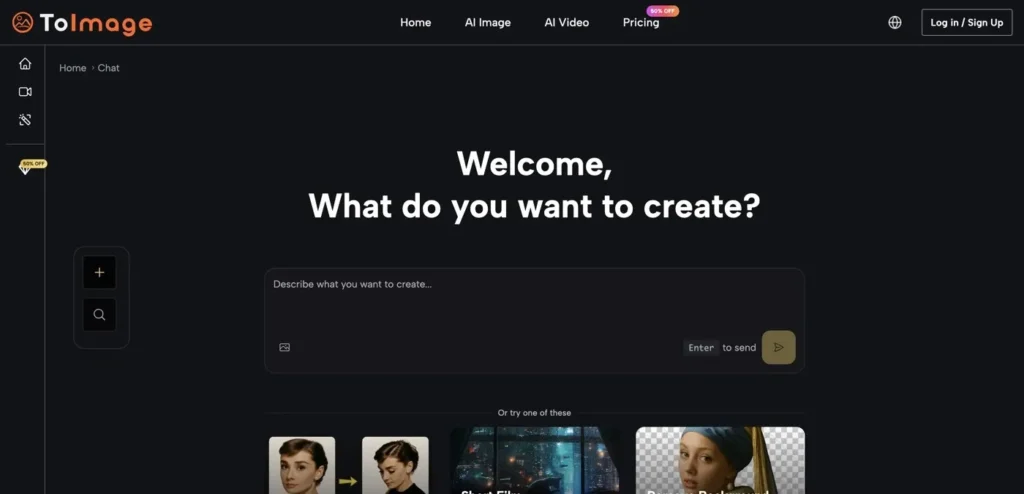
Use Image to Image AI as a cleanup layer, not as a second architect. If the shop painted the door last month, photograph the new door and edit only the glare. Do not ask the model to remember a renovation it never saw.
ToImage AI can make a tired storefront photo easier to read. It cannot replace the walk from the listing to the real glass. When those two disagree, the listing is the one that looks dishonest.
Keep The Address Photo Tied To The Shop
A local listing earns trust when the photo and the street agree. Keep the hours sheet, the door, and the neighbor wall as a contract. Use one contained edit, compare beside the original, and publish only the file a customer could use as a map.
If the output invents a second shopfront, do not debate style. Reshoot from the curb or keep the older honest frame. The directory tile is the last picture someone sees before they decide to walk over.

Happy
0 %

Sad
0 %

Excited
0 %

Sleepy
0 %

Angry
0 %

Surprise
0 %
 0
0
 0
0
More Stories

Why AI Image Generators With Image Upload Support Are Becoming Essential
Text-only AI image generation is impressive, but for businesses it quickly hits a ceiling. A prompt can create a beautiful...

Best Cloud Phones for Managing Multiple Business Accounts
Managing multiple business accounts can become difficult when a company depends entirely on physical smartphones. Social media teams, marketing agencies,...

How Industry-Specific Digital Marketing Drives Growth for Dental, Medical Tourism and Fashion Brands
The key focus of every industry in the present world is to have a distinct digital marketing strategy. Without that,...

BestLinks AI Vs A Paid Invoice For Listings
Directory owners in India often treat a vendor email as a price check. The mailbox looks harmless because no rupee...

The Problem With Software “Best Of” Lists — And What a Recommendation-First Approach Looks Like Instead
Anyone who has tried to pick a SaaS tool recently knows the drill: open a "Top 10" listicle, find ten...

Create Engaging Visual Stories with AI Tools
Visual storytelling is no longer just for professional movie studios or high budget marketing agencies. Anyone with a computer and...